Connect
Works with what you have.
Nothing has to move.
Run campaigns from Claude or ChatGPT, let your app add contacts and report what people do, and fill your emails with your blog, your events and your videos.
Try it free for 14 daysNo card needed. Hosted in the EU.
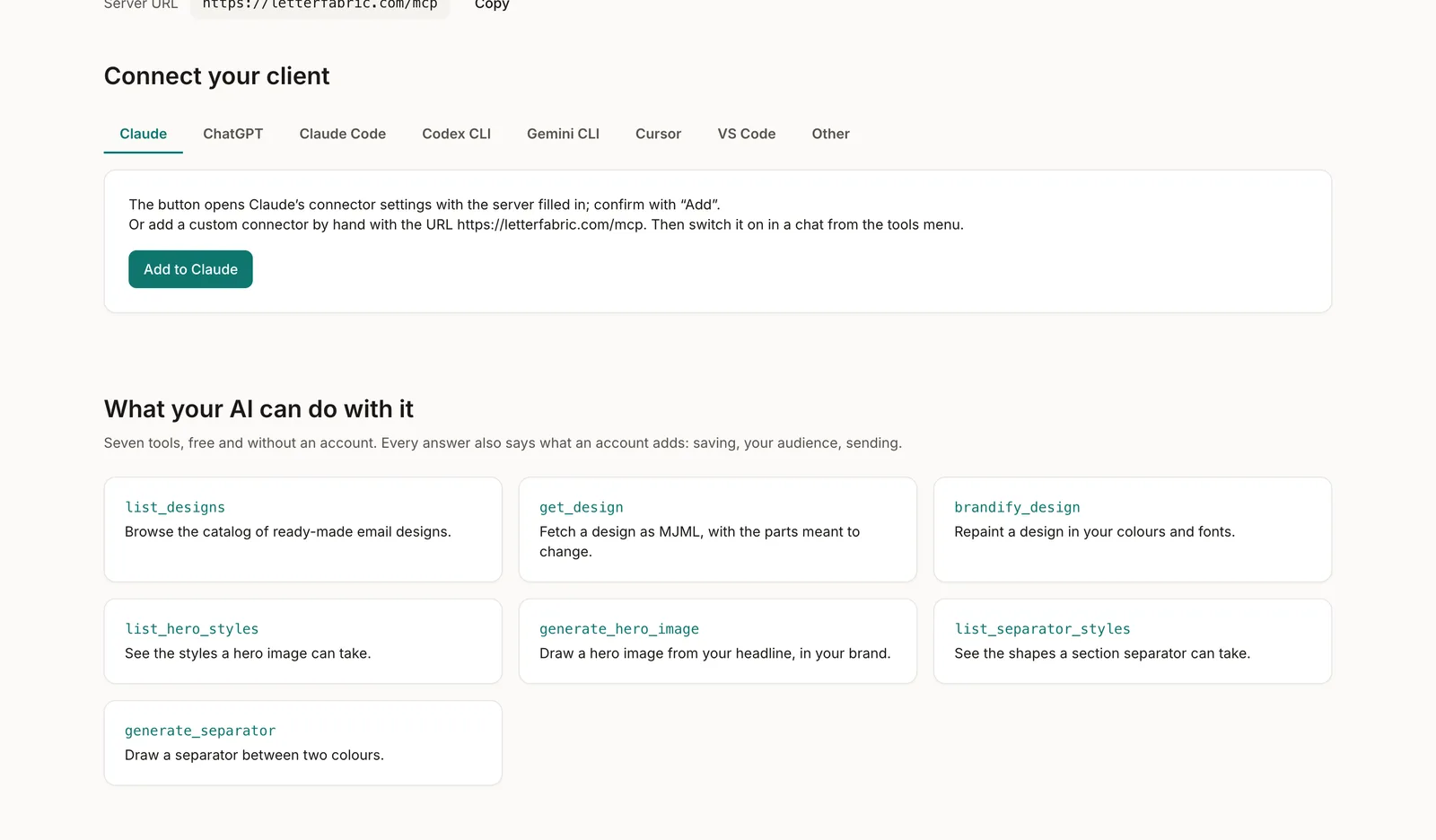
Your AI, in your workspace
Connect Claude, ChatGPT, Cursor or any MCP client. It reads your reports, writes a campaign in a design, and puts it in front of you for approval.
- Claude, ChatGPT, Claude Code, Codex, Gemini CLI, Cursor and VS Code
- You choose what a client may do when you connect it
- What it writes waits for your approval like everything else
A JSON API for what is on screen
Contacts, lists, campaigns, sequences, reports and forms: each action is an API operation with its own scope.
- The same operations the app and the MCP server use
- API keys limited to what they are for, such as website signups only
- OpenAPI documentation to read and to generate clients from
Events in, webhooks out
Your app reports what people do, and a sequence can start from it. LetterFabric tells your app what happened in return.
- “Trial started”, “feature used”: any event your app posts can start a sequence
- Subscribed, unsubscribed, bounced, complained, clicked, campaign sent, goal reached
- Signed to the Standard Webhooks specification, retried, with a delivery log
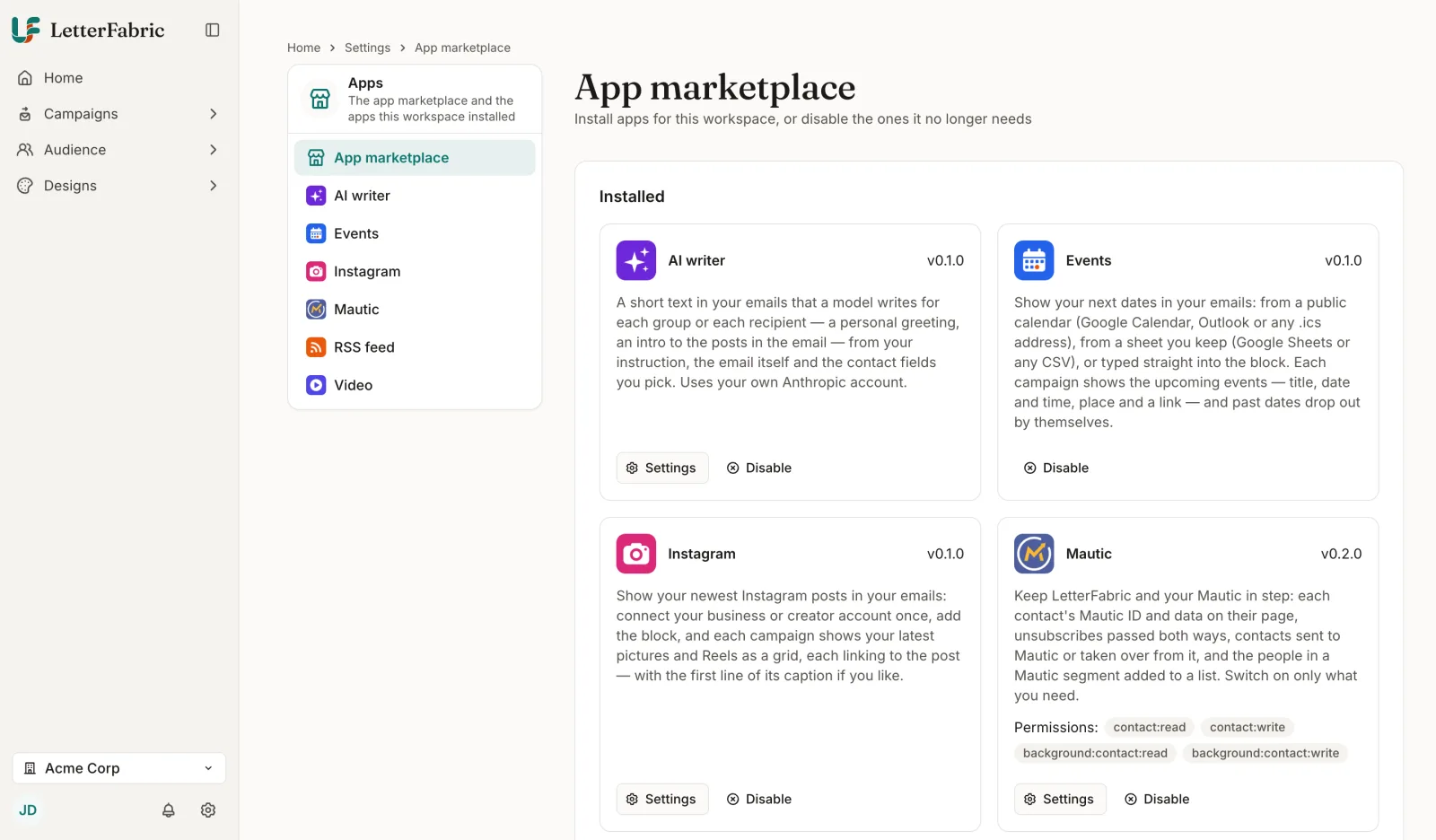
Apps that fill your emails
Apps put live content into your emails, fetched when the emails are prepared. Install the ones you need for your workspace; each says what it may read.
- Your latest blog posts, upcoming events from your calendar, a YouTube or Vimeo video
- A short text a model writes for each group or each person, through your own AI provider
- Mautic kept in step: contacts, unsubscribes and segments both ways
Contacts in a spreadsheet
Bring your list as a CSV with the consent you have, and take it out again in Excel.
- Columns recognized as you import, consent recorded
- Filter, then export to Excel
- Update hundreds of contacts at once from a sheet
Try it without an account
See this part working before you sign up.
Your people would like to hear from you.
Start with one sentence and a handful of contacts. Read every email before it goes.
Try it free for 14 daysNo card needed. Hosted in the EU.